
Servers for 200 Users in UAE: How to Choose the Right Server for Your Business
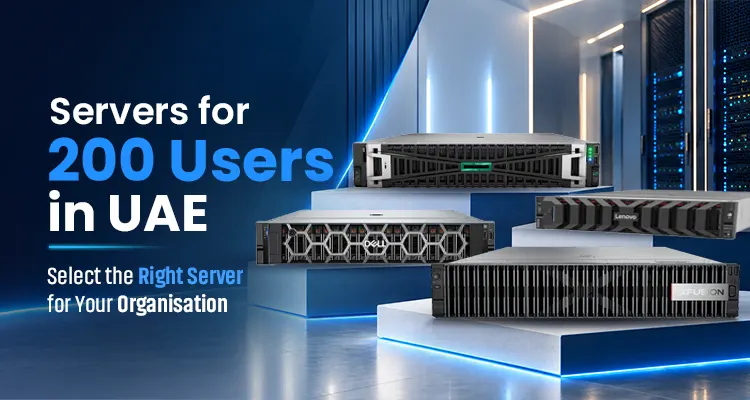
A business running file sharing, email, and everyday office applications may require fewer resources than an organisation running ERP software, large databases, virtual machines, analytics, or AI applications. Selecting the right server helps you balance performance, reliability, scalability, and cost.
Before investing in a server in UAE, it is important to evaluate processor capacity, RAM, storage, network connectivity, security, and backup requirements. This guide explains how to choose a server for 200 users and compares enterprise server models from HPE, Lenovo, Dell, and xFusion.
What Type of Server Does a 200-User Business Need?
The best server for a 200-user business depends on how employees access applications and share resources. Before choosing a server, consider the following workloads.
File Sharing and Everyday Business Applications
Businesses using shared folders, document management, printing, and everyday business applications may need a server with balanced processing power, sufficient memory, and reliable storage.
The exact configuration depends on the number of concurrent users, the size of shared files, access frequency, and the applications involved.
ERP, Databases, and Business-Critical Applications
Enterprise resource planning (ERP) software and databases may require additional CPU capacity, memory, and high-performance storage. Database size, transaction volume, application architecture, and response-time requirements are important factors when selecting a server.
Businesses running these workloads should also consider data protection, backup, recovery, and availability requirements.
Virtualisation, Analytics, and AI Workloads
Virtualisation allows multiple virtual machines to run on a physical server. However, each virtual machine consumes resources, and the total requirement depends on the number and type of workloads.
Virtualisation, analytics, and AI applications may require higher memory capacity, additional processing resources, faster storage, or specialised GPUs.
You have to consider these requirements separately before choosing a server for 200 users.
Recommended Server Specifications for 200 Users
There is no universal server configuration that suits every organisation with 200 users. The following specifications are starting points for planning, not fixed minimum requirements.
1. Processor (CPU)
The CPU determines how effectively a server handles application instructions and concurrent workloads.
-
For general business applications, a moderately configured enterprise processor may be sufficient.
-
Database workloads, virtualisation, and compute-intensive applications may benefit from additional cores, higher processing capacity, or multiple processors.
The correct memory capacity depends on the operating system, applications, number of virtual machines, and expected workload.
2. RAM (Memory)
RAM affects how applications, databases, and virtual machines access working data.
-
128 GB of RAM may be sufficient for general business workloads.
-
Virtualisation, analytics, large databases, and memory-intensive applications may require 256 GB or more.
The correct memory capacity depends on the operating system, applications, number of virtual machines, and expected workload.
3. Storage Capacity and Performance
Storage requirements depend on the volume of business data, application performance, retention policies, and expected growth.
-
Enterprise SSDs: Suitable for applications that need responsive data access and strong storage performance.
-
NVMe SSDs: Consider SSDs for demanding databases and workloads that need fast data access and low latency.
-
HDDs: Use HDDs to store large amounts of data at a lower cost when high performance is not a priority.
Consider both usable capacity and performance. RAID configurations, storage controllers, drive compatibility, and backup requirements should also be evaluated.
4. Network Connectivity
Network connectivity affects communication between users, servers, storage systems, and applications.
Gigabit Ethernet may be sufficient for some general business environments. Higher-speed connections, such as 10 GbE or 25 GbE, may be appropriate for virtualisation, high-volume file transfers, and storage traffic.
Choose network adapters based on expected traffic, switching infrastructure, storage architecture, and redundancy requirements.
5. Security, Redundancy, and Backup
Server selection should also include security and business continuity considerations.
-
Check the server’s access controls, firmware security, remote management, and supported security features. Choose a configuration with extra power supplies and cooling components to help reduce downtime.
-
RAID is not a replacement for backup. A reliable deployment should include an appropriate backup strategy, tested recovery procedures, and disaster recovery planning.
Top Enterprise Servers for 200 Users in UAE
Once you understand your workload, you can compare enterprise server platforms based on their capabilities and available configurations. The following four models offer different options for business applications, virtualisation, storage, and demanding enterprise workloads.
HPE ProLiant DL380 Gen11
The HPE ProLiant DL380 Gen11 server is a scalable 2U rack server designed for enterprise applications, virtualisation, data management, and other demanding workloads.
It supports 4th- and 5th-generation Intel Xeon Scalable processors, with memory and storage options to match business needs. Depending on the configuration, it can support up to 8 TB of DDR5 memory and various storage types.
Key considerations:
-
Processing capacity: Configurable processor options support different application and virtualisation requirements.
-
Memory scalability: Memory can be configured according to the number of applications, virtual machines, and database requirements.
-
Storage flexibility: Available LFF, SFF, and EDSFF options provide flexibility for different capacity and performance needs.
-
Security and management: HPE iLO 6 provides remote server management, while HPE's security technologies help support infrastructure protection.
-
GPU options: Supported GPU configurations can be considered for selected accelerated workloads, subject to compatibility, power, and cooling requirements.
The HPE ProLiant DL380 Gen11 is a flexible server for businesses running virtualization, databases, and critical applications.
Lenovo ThinkSystem SR650 V4
The Lenovo ThinkSystem SR650 V4 is a 2U rack server designed for enterprise workloads that require processing capacity, memory scalability, and flexible storage.
It supports one or two Intel Xeon 6 processors and up to 8 TB of memory in supported configurations without the Compute Complex Neptune Core Module. Memory capacity and operating speeds depend on the selected processors and memory configuration.
Key considerations:
-
Processor options: Suitable processor configurations can be selected for enterprise applications, virtualisation, and compute-intensive workloads.
-
High memory capacity: Its memory expansion capabilities can support demanding applications and growing virtualisation environments.
-
Storage flexibility: Available drive configurations support different storage capacity and performance requirements.
-
Remote management: Lenovo XClarity Controller provides server management capabilities.
-
Cooling options: Standard and specialised cooling configurations can be evaluated according to the selected hardware and workload.
The Lenovo ThinkSystem SR650 V4 is a suitable option for businesses looking for a Lenovo server for 200 users that can handle memory-intensive applications, virtualisation, analytics, and future infrastructure expansion.
Dell PowerEdge R760
The Dell PowerEdge R760 rack server is a 2U, dual-socket enterprise server designed to support a range of business and data centre workloads.
It supports fourth- and fifth-generation Intel Xeon Scalable processors, depending on the selected configuration. Dell supports 32 memory module sockets and a memory capacity of up to 8 TB, with supported memory configurations.
Key considerations:
-
Processing flexibility: Processor options can be selected to match business applications and workload demands.
-
Memory Expansion: It supports large memory configurations for complex applications.
-
Storage options: Available drive configurations should be evaluated according to capacity, performance, and redundancy requirements.
-
Expansion capabilities: Supported PCIe and networking options can be selected for the intended deployment.
-
Accelerated workloads: GPU support depends on the specific system configuration, supported accelerator models, and power and cooling limits.
Businesses looking for a quality Dell server for 200 users can adopt the Dell PowerEdge R760, as it supports enterprise applications, virtualisation, and GPU-accelerated tasks.
xFusion FusionServer 2288H V7
The xFusion FusionServer 2288H V7 is a 2U rack server designed for enterprise computing, data-intensive applications, and configurable storage environments.
The xFusion server supports one or two 4th- or 5th-generation Intel Xeon Scalable processors, DDR5 memory, and flexible storage options. Drive options include configurations of up to 45 2.5-inch drives or up to 28 NVMe SSDs. The right configuration depends on your business needs and workload.
Key considerations:
-
Processing capacity: Configurable processor options support different enterprise workloads.
-
Storage flexibility: Multiple SAS, SATA, SSD, and NVMe configurations can be evaluated for business data and application requirements.
-
Memory expansion: DDR5 memory options support different capacity and performance needs.
-
Networking: OCP 3.0 network adapter options allow you to select connectivity according to the deployment.
-
System management: Management and monitoring features can help IT teams maintain and operate server infrastructure.
The xFusion FusionServer 2288H V7 is an option for businesses evaluating storage-intensive enterprise applications, virtualisation, and selected data-intensive workloads.
Server Comparison: Which Model Suits Your Business?
The most suitable server depends on your applications, capacity requirements, budget, and expansion plans. Use the following table as an initial shortlist rather than a universal ranking.
|
Server model |
Workloads to evaluate |
Important considerations |
|
HPE ProLiant DL380 Gen11 |
Virtualisation, enterprise applications, databases |
Security, management, storage flexibility, supported accelerators |
|
Lenovo ThinkSystem SR650 V4 |
Memory-intensive applications, virtualisation, analytics |
Memory configuration, processor selection, storage, cooling technology |
|
Dell PowerEdge R760 |
Enterprise applications, virtualisation, selected accelerated workloads |
Memory, storage, networking, supported GPU configurations |
|
xFusion FusionServer 2288H V7 |
Data-intensive applications, virtualisation, storage workloads |
Drive configuration, memory, networking, and management. |
Before choosing a model, compare the actual proposed configurations, including CPU, RAM, usable storage, network adapters, warranty, support, and total deployment cost.
Should You Use One Server or Multiple Servers for 200 Users?
A properly configured server can support 200 or more users in some environments. However, a single-server setup may not be suitable for every business.
One server may be suitable when:
-
The applications do not need many server resources.
-
One server can handle the workload.
-
The organisation has assessed its downtime and recovery requirements.
-
The server has enough resources to support future growth.
Multiple servers may be preferable when:
-
The business uses applications that need a lot of server power.
-
Important services must stay available with minimal downtime.
-
Virtualisation may need extra servers or separate workloads.
-
The business needs backup systems, easier maintenance, and disaster recovery.
Virtualisation can run multiple workloads on one server, but businesses still need to plan for capacity, uptime, and recovery. They should compare the costs and management needs of each setup before buying hardware.
What Affects Server Prices in UAE?
The cost of a server for 200 users in UAE depends on its configuration and intended use. Two servers of the same model can have significantly different prices depending on their components and support options.
Key factors include:
-
Processor: CPU model, core count, and number of installed processors.
-
Memory: RAM capacity, type, and supported configuration.
-
Storage: Drive type, capacity, storage controller, and RAID configuration.
-
Networking: Network adapter speeds, ports, and redundancy requirements.
-
Expansion: Additional accelerators, adapters, and other supported components.
-
Support and deployment: Warranty coverage, installation, configuration, and service requirements.
For an accurate quotation, define your workload and required configuration first. This helps you compare proposals based on the same technical and service requirements rather than comparing hardware prices alone.
Why Choose Infome Technologies as Your Server Supplier in UAE?
Selecting the right server is only one part of building reliable IT infrastructure. Businesses also need suitable product configurations, compatible components, and access to the right technical guidance.
Infome Technologies supplies IT products and enterprise server solutions to businesses across UAE. Its server and storage portfolio includes products from leading brands such as HPE, Lenovo, Dell, and xFusion.
When evaluating a server purchase, Infome can help you explore available product options and identify a configuration that aligns with your business requirements.
Before making a decision, discuss your application requirements, expected user concurrency, memory needs, storage capacity, network infrastructure, and future expansion plans. You should also confirm product availability, warranty terms, and the scope of any installation or support services included in your quotation.
Choosing a server for 200 users is not simply about selecting hardware with the highest specifications. It is about understanding how your organisation works, what applications your employees use, and how your IT infrastructure needs to grow.
The HPE ProLiant DL380 Gen11, Lenovo ThinkSystem SR650 V4, Dell PowerEdge R760, and xFusion FusionServer 2288H V7 offer different configuration options for enterprise workloads. Compare them according to your actual requirements rather than selecting a model based on user count alone.
Plan for your workload. Configure for your needs. Prepare for future growth.
Contact Infome Technologies to explore server solutions for your organisation and request a configuration based on your business requirements.
Frequently Asked Questions
1. What server specifications are suitable for 200 users?
The required specifications depend on the applications and number of concurrent users. As an initial planning reference, some general business workloads may work with 128 GB RAM, while virtualisation, databases, and memory-intensive applications may need 256 GB or more. CPU, storage, and networking should be selected based on the workload and software requirements.
2. Can one server support 200 employees?
Yes. One well-configured server can support 200 or more users in some cases. But the right setup depends on how many people use it at the same time, which applications they run, and how much data they need. Businesses that rely on critical applications may need more than one server to keep services running if a server fails.
3. How much RAM does a server for 200 users need?
There is no fixed RAM requirement based on the number of users. Some general business workloads may be suitable for 128 GB, while virtualisation, ERP, analytics, and large databases may require 256 GB or more. Check the workload requirements before finalising the memory configuration.
4. Which server is best for a large company?
The HPE ProLiant DL380 Gen11, Lenovo ThinkSystem SR650 V4, Dell PowerEdge R760, and xFusion FusionServer 2288H V7 are enterprise servers suitable for large companies. The right choice depends on processor requirements, memory capacity, storage, supported expansion options, management features, and budget.
5. How much does a server for 200 users cost in UAE?
The price depends on the server model, processor, RAM, storage, networking, optional components, and support requirements. Contact a server supplier with your workload and configuration requirements to obtain a relevant quotation.
6. What should I consider when buying a server in UAE?
Consider workload requirements, processor capacity, RAM, storage performance, network connectivity, security, backup, redundancy, future scalability, warranty, and technical support. Also confirm product availability and compatibility before placing an order.
About the Author

The CEO and Co-Founder of Infome, with over 18 years of working experience in IT infrastructure and identification solutions. He shares valuable insights regarding enterprise technology and security systems.
Servers for 100 Users in UAE: Choose the Best Server for Business in UAE
A company with 100 or more users needs a server that supports them in numerous operations.
Read Article
Server for 50 Users in UAE: A Practical Guide to Choosing the Right Server
Selecting a server for 50 users in UAE needs careful thinking about the daily business requirements and business size. Employees may need to run various files, software, and applications and access data at the same time. Hence, choosing the best server for your small business in Dubai must align with your current requirements and future growth plans. For a business with 50 staff, the right server can make every day's work more organised
Read Article
Server for 10-20 Users in UAE: Choose the Right Server for Your Business
Are you confused about which servers are best for your small business? A small team doesn't mean limited IT requirements. You must consider certain factors to choose the right servers for 10-20 users in UAE. Your employees may need to handle multiple files, business applications, databases, backups, and other systems that require a server that offers high performance. Choosing a server only based on the number of employees is not practical; the server should also match your workload, storage needs, applications, and future expansion plans. Let us see the best servers for 10-20 users for your organisation in Dubai.
Read Article
Need the Right Solution for Your Business?
Our experts will guide you to choose the best Servers & Storages that fits your needs and budget.
Barcode Scanners vs Mobile Computers in UAE: Choose the Right Solution for Your Business
Businesses that manage inventory, product tracking, and daily operations need an efficient barcode scanner and mobile computer.
Read Article
A Day for Fitness, a Step Towards a Healthier Tomorrow
Physical fitness and mental well-being are the core factors for a healthier lifestyle. By considering this, Infome launched an app, InfomeFit, and conducted a health session to strongly support this message.
Read Article

Infome and Telpo: Bringing POS Technology Closer to Businesses in UAE & KSA
Choosing a POS solution is a decision about how a business serves its customers. The hardware must suit the workspace, work with the intended software, and support the people using it every day. Access to a knowledgeable local supplier makes those decisions easier
Read Article