
How to Pick the Right Library Software for Your School
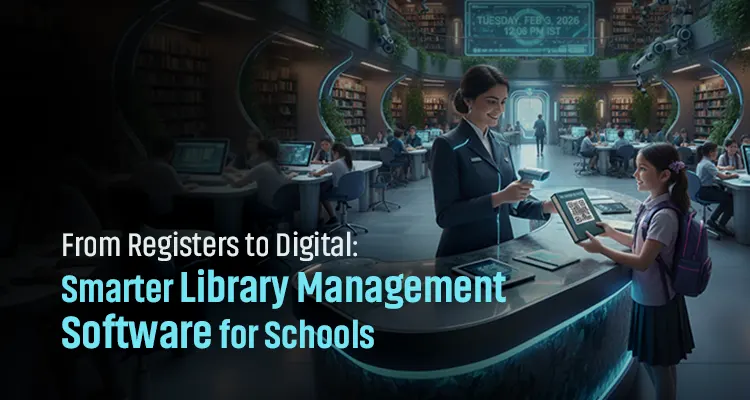
Still using handwritten registers and chasing students for overdue books? That’s why choosing the right library management software for schools in UAE matters more than ever. Manual and outdated library systems slow down book issuing, returns, and inventory tracking, turning simple tasks into daily headaches. InfoBookz is a digital library management software that helps librarians manage school library books in an organized manner. This assists you in managing library-related issues such as detecting overdue books, checking the availability of books, and issuing or returning books.
In this guide, we will discuss how to choose the best library management software for your educational institution and the mistakes to avoid.
What is Library Management Software?
A library management system is a digital tool that helps schools in UAE manage their various library operations in one simple platform. Instead of maintaining handwritten registers or Excel sheets, school library software automates everyday tasks and keeps all library data accurate, organized, and easy to access.
What does a Library Management System Automate?
- Book cataloging with quick search and classification
- Issuing and returning books using student or staff IDs
- Tracking due dates and fines automatically
- Generating reports on book usage and student activity
This automation reduces manual errors and saves valuable time for librarians and teachers.
Manual vs Excel vs Library Management Software
| Feature | Manual Library System | Excel-Based System | Library Management Software |
|---|---|---|---|
| Record keeping | Paper registers and files | Digital spreadsheets | Fully digital centralized system |
| Speed | Very slow | Moderate | Fast and efficient |
| Error chances | High (human errors) | Medium (manual entry errors) | Very low (automated processes) |
| Automation | Not available | Limited | Fully automated workflows |
| Book issue & return | Handwritten entries | Manual data updates | One-click issuing and returns |
| Tracking & search | Difficult and time-consuming | Basic search | Instant search and real-time tracking |
| Reports & insights | Not available | Manually created | Auto-generated reports |
| Data security | Low | Moderate | High with controlled access |
| Suitability for schools | Outdated and inefficient | Temporary solution | Best long-term solution |
When a student borrows a book from the library, the book details and due date are recorded automatically in the library management software. So, the librarian can instantly see who borrowed the book without flipping through registers or spreadsheets.
Main Features of InfoBookz Library Management System
User Management
Users can register online using their email ID for easy account management and advanced booking.
RFID-Based Operations
The RFID technology enables self-check-in and check-out, prevents unauthorized book removal, and provides a real-time tracking facility for the admin.
Book & Inventory Managemen
Users can easily check book availability and receive reports on book damage, loss, and inventory status.
Reporting & Analytics
Provide detailed reports on book usage and popular titles to make the library management easier.
Notifications & Alerts
Librarians will receive reminders through email for overdue books and generate fines automatically.
Remote Monitoring
Staff can monitor library activities remotely to ensure continuous and smooth operations.
Cloud Implementation
Users will receive a 1-year free cloud server and maintenance.
Common Challenges Schools Face Without Proper Library Software
- Manual book tracking errors: The handwritten library registers might make mistakes. Librarians may miss book entries or duplicate the book details; hence, it will be difficult to know the exact status of books.
- Time-consuming: Librarians have to check registers, update records, and verify student details to ensure book return. This manual register check is a slow process, which slows down daily library operations.
- Low visibility: Tracking overdue or missing books becomes difficult without a proper library management system. Due to this, schools have to replace the lost books, which leads to unnecessary spending.
- Poor reporting: It will be difficult to get an automated library report with a manual and Excel-based system. Librarians must spend hours preparing audit records, usage summaries, and inventory reports, which increases workload and the risk of inaccuracies.
- Challenge in handling large volumes: The manual entry of library details will be more difficult when the number of students and books increases. Hence, maintaining accuracy, speed, and control becomes a challenge for schools without digital library management software.
Key Factors to Consider When Choosing Library Software for Schools
Choosing digital library management software is essential, but before that, you have to ensure that it can easily handle the workloads of libraries. Here are a few criteria that help you select the right library management system.
Ease of Use for Librarians & Students
The software should be designed with a simple UI and should have a user-friendly interface to ensure that librarians and students can use it without technical training.
Book Cataloging and RFID Integration
Should organize books by category and subject, which helps in the easy classification of books. Using RFID technology helps to quickly and accurately identify library items for efficient inventory management and tracking.
Barcode scanning
Choose a system that can work with a barcode scanner that scans the barcode on books to easily know the status of each book. Make sure that the system also works with student ID cards and smart cards to make the operations quicker and more secure.
Student & Staff Management
Allows role-based access with separate profiles for students, librarians, and staff. School authorities can manage student records class-wise or grade-wise to get clear and organized library data using this platform.
Report Generation
Library reports for schools should include overdue lists, inventory audits, and usage analytics. These insights support audits, academic year tracking, and better decision-making.
Cloud-Based vs On-Premise Library Software
Cloud-based systems offer remote access and low maintenance, while on-premise solutions provide better data control and offline use. The right choice depends on the school’s IT resources and access needs.
Easily Scalable
Library software should easily handle a large number of students, books, and even multiple branches. Scalable systems ensure long-term efficiency and cost savings as the school grows.
Must-Have Features Checklist for School Library Software
- Automated book issue and return management
- Barcode and RFID library system support
- Student and staff database integration
- Automatic fine calculation for overdue books
- Advanced search and book availability tracking
- Library reports and data export options
- Secure data backup and access control
- Multi-user access for librarians and staff
- Academic year and inventory management
- Cloud or on-premise deployment flexibility
How Library Software Integrates with Other School Systems
The library management software for schools works best when it connects smoothly with existing campus systems. The smooth integration with school systems reduces manual work, improves accuracy, and creates a unified digital environment.
-
Student ID Cards
Library software integrates with ID cards and smart cards to link each student’s library account to a single ID. Students can use the same card for the return and issue of books, which reduces manual entry and speeds up daily library operations.
-
Attendance Systems
Connecting with attendance and access control systems enables the library management system to log student visits to the library automatically. Therefore, the school can easily track student library usage and align attendance data with academic activities.
-
Access Control (Library Entry)
Integrating with access control systems allows smart cards or ID cards to manage library entry. This ensures that only authorized students and staff enter the library; hence, it improves safety and maintains a clear entry record.
-
ERP or School Management Software
Library software can sync with ERP or school management platforms to share student data, class details, and academic year information. This eliminates duplicate data entry and ensures consistent records across departments.
Common Mistakes Schools Make When Choosing Library Software
Choosing the right school library management system is one of the most strategic decisions any educational institution can make. However, many schools may have no clear idea of this and may end up with complex systems that confuse staff and students. Here is a list of mistakes that schools make while purchasing digital library software.
Choosing the cheapest option
Low-priced school library software may consist of limited features, weak security, and poor performance. Cheap library software may work at the start, but it usually fails to support daily school library operations as usage increases.
What to do: Invest in value-driven software, not the cheapest.
Ignoring future scalability
Several schools select software that only meets their present needs and ignore the chance of future scalability. As the student strength grows, book collections expand, or when new branches are added, non-scalable systems struggle.
What to do: Choose scalable library management software that grows easily with your students, books, and future branches.
No hardware compatibility
Schools often ignore the fact of whether the software supports existing systems like barcode scanners, RFID readers, or smart cards. Lack of compatibility turns automation back into manual work.
What to do: Select a system that fully supports existing solution in schools to ensure smooth, end-to-end automation.
No local support
Without reliable local support, even small issues can turn into long disruptions for school libraries. Schools need quick assistance, regular updates, and software support to keep operations running smoothly.
What to do: Purchase software from a provider that offers local support.
Poor training planning
Even the best software fails if librarians and staff are not trained properly. Skipping training leads to underused features, data errors, and frustration among users.
What to do: Plan structured onboarding and hands-on training sessions for librarians and staff to ensure the best usage of the school library software.
How Infome Helps Schools Implement Smart Library Solutions
At Infome, we believe a smart library starts with the right guidance. That’s why we prioritize consultation first and then recommend the right library management solution for you. We offer a library management system called InfoBooks to take care of all your library activities in school.
- Consultation-driven approach: We understand your school’s needs, student strengths, library workflow, and scalability options, and suggest the right solution.
- Complete software and hardware ecosystem: Our library management software works easily with barcode printers, scanners, ID cards, and RFID systems.
- End-to-end automation: InfoBooks handles every task from book cataloging to issue, return, and reporting for a smooth workflow.
- Local support: We provide after-sales support, installation, and guidance across all regions of UAE and KSA whenever needed.
Selecting the right library management software is no longer just a technology upgrade. It is a long-term decision that directly impacts efficiency, accuracy, and the overall learning experience for students. A well-chosen system reduces manual work, minimizes errors, improves book tracking, and allows librarians to focus more on supporting students rather than managing registers. If you are planning to upgrade from an outdated register entry system to digital library management software, Infome is here to help. Connect with our team to explore InfoBookz, our dedicated library management software, and discover how we can help you create an organized, efficient, and stress-free library environment.
Frequently Asked Question
-
Can library management software integrate with student ID cards and smart cards?
Yes, modern school library management systems support integration with ID cards, smart cards, barcode scanners, and RFID readers. This allows faster book issuing, secure access, and accurate student tracking.
-
Is library management software suitable for small schools?
Absolutely. Library management software for small schools helps organize books, track students, and generate reports without complexity. Scalable systems can grow as the school expands.
-
What is the difference between Excel and library management software for schools?
Excel-based library systems require manual updates and lack automation. A library management system provides real-time tracking, automated workflows, secure access, and detailed reports, which make it a better long-term solution for schools.
-
Does school library software support barcode and RFID systems?
Yes. Advanced library management software supports barcode and RFID-based library management, which enables faster issue and return of books.
-
Can library management software generate reports for audits and inspections?
Library management software for schools can generate overdue reports, inventory audits, usage analytics, and academic-year reports, making compliance and inspections easier.
About the Author

The Managing Director and Co-Founder of Infome. With his 19 years of experience in IT solutions and network and security systems, Shan also shares information that focuses on IT infrastructure and antitheft systems.
How Library Management Software Reduces Workload for Librarians
Managing thousands of books and journals manually might take the whole day. Using spreadsheets and registers to keep book records has become a primitive option for librarians.
Read Article
What is Library Management Software?
Managing a library is a time-consuming process since it requires manual cataloging of thousands of books to track issued and returned items and keeping member records updated.
Read Article
Need the Right Solution for Your Business?
Our experts will guide you to choose the best InfoBookz Library Management Solution that fits your needs and budget.

10 Warehouse Challenges UAE Businesses Face and How to Solve Them
The warehouse handles thousands of orders daily, which increases the chance of warehouse mistakes that can cost time and money. This raises the relevance of adopting warehouse solutions in UAE to make your daily operations smoother and more accurate. Warehouse solutions are technologies and tools that can manage inventory, track products, and handle the goods movement throughout warehouse operations. They are suitable for managing various warehouse challenges such as inaccurate stock records, misplaced products, slow picking, manual data entry, and shipping errors.
Read Article
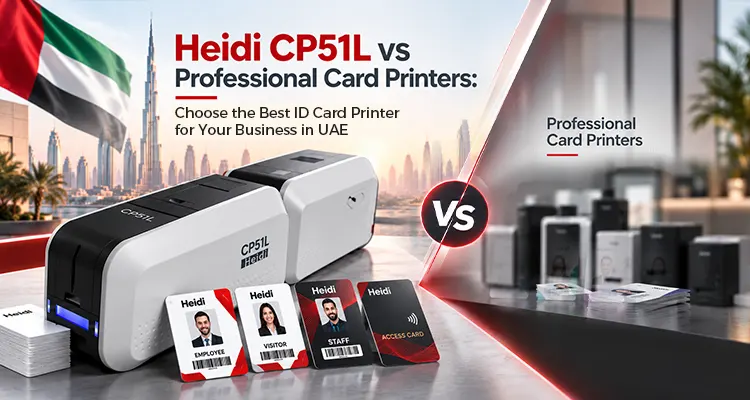
Heidi CP51L vs Professional Card Printers: Choose the Best ID Card Printer for Your Business in UAE
Businesses that issue employee, student, visitor, or access-control cards need more than good-looking prints. Card durability, lamination, security, encoding, printing speed, and long-term usability can all affect the right printer choice. The Heidi CP51L ID card printer combines card printing and integrated lamination, but how does it compare with other professional card printers?
Read Article

Dell Storages in UAE: Explore the Best Storage Solutions for Your Business
Dell storage is a hardware solution developed by Dell Technologies that helps you store, manage, and protect small to large organizational data.The Dell storage family includes PowerVault for small and medium-sized businesses and PowerStore for all-flash block and file storage. For highly demanding and critical workloads, PowerMax is a better option, and you can manage AI and data-intensive applications with Dell PowerScale storage. Dell PowerFlex is for shared block storage networks, Dell ObjectScale can handle advanced AI-related tasks, and PowerProtect is for data backup and recovery
Read Article